 By Cloud Phones Team
- 22 July, 2026
- Technology
Zero-Touch Device Enrollment: How Businesses Can Deploy 1,000+ Android Devices in Hours
Managing a handful of smartphones is easy. Managing hundreds or even thousands across multiple cities, branches, or field teams is a completely different challenge.
Traditionally, IT administrators had to manually configure every phone—install applications, set permissions, configure security policies, and create user accounts. This process was time-consuming, expensive, and highly prone to human error.
Today, Mobile Device Management (MDM) solutions have transformed device deployment through Zero-Touch Enrollment, allowing organizations to configure and secure devices automatically from the moment they are switched on. Whether you're deploying devices to sales representatives, delivery executives, healthcare workers, schools, or corporate employees, Zero-Touch Enrollment dramatically simplifies device management while reducing IT workload. (Cloud Phones)
What is Zero-Touch Enrollment?
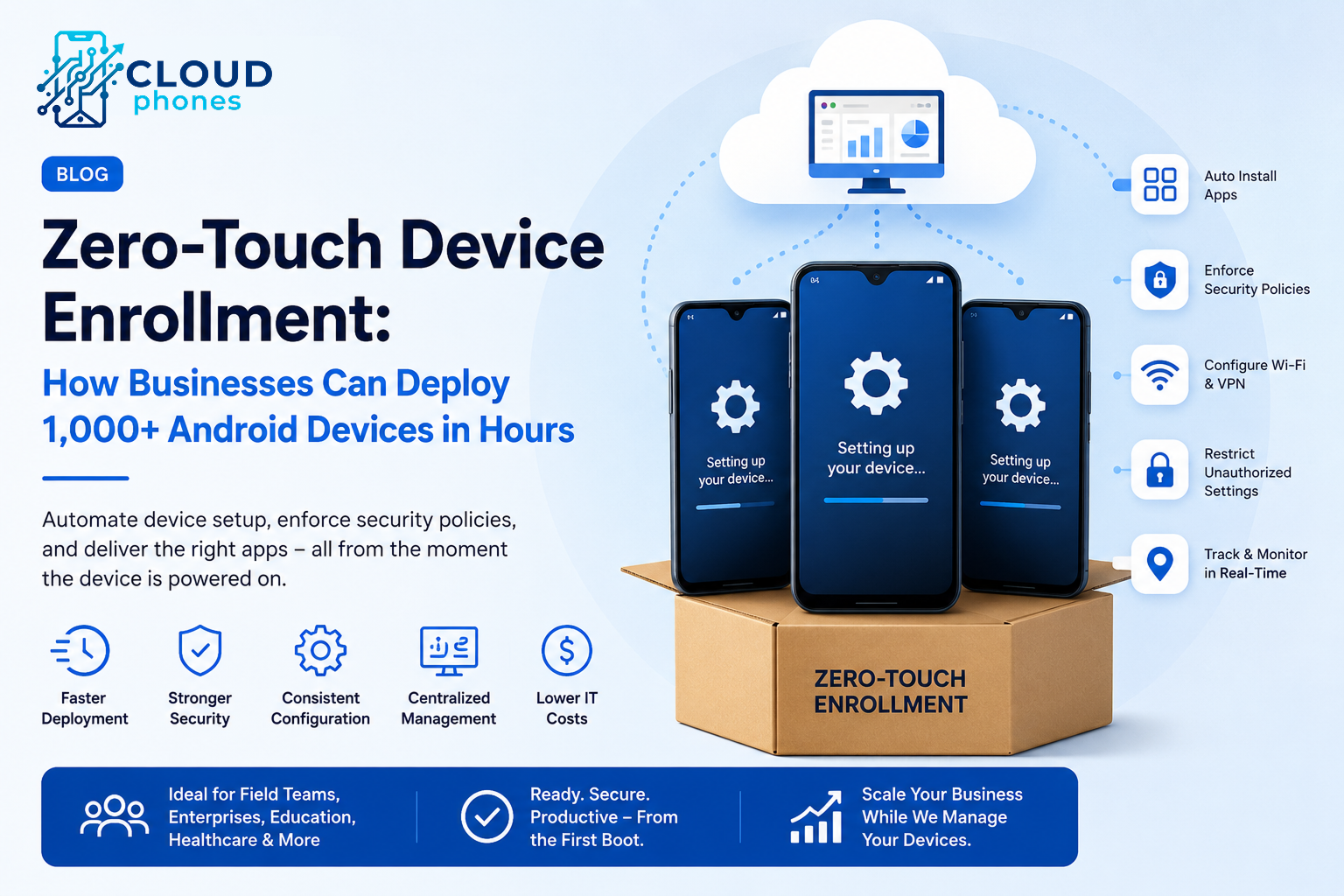
Zero-Touch Enrollment is a provisioning method that allows Android devices to automatically configure themselves during their first startup. Instead of manually setting up every phone, administrators simply:
- Register the device
- Assign it to a user or department
- Apply an MDM policy
The moment the employee powers on the device and connects to the internet, it automatically:
- Enrolls into the MDM platform
- Downloads required business apps
- Applies security policies
- Restricts unauthorized settings
- Connects with company servers
No manual configuration is required.
Problems with Traditional Device Setup
Without Zero-Touch Enrollment, organizations typically face several challenges:
- IT teams spend hours configuring each device.
- Different employees receive inconsistent settings.
- Required applications may be forgotten.
- Security policies may not be applied correctly.
- Devices remain vulnerable before configuration is complete.
For companies deploying hundreds of devices, these issues quickly become costly.
Benefits of Zero-Touch Enrollment
1. Faster Deployment
Instead of spending 20–30 minutes configuring each device manually, businesses can deploy hundreds of devices simultaneously.
For example:
- 50 devices → Ready in minutes
- 500 devices → Automatically configured
- 2,000 devices → Centrally managed without manual intervention
2. Consistent Configuration
Every employee receives exactly the same setup, including:
- Corporate applications
- Wi-Fi settings
- VPN configuration
- Security policies
- Device restrictions
- Branding
Consistency improves productivity and reduces support requests.
3. Improved Security
From the first boot, devices remain protected with:
- Screen lock policies
- Password enforcement
- App restrictions
- Remote lock capability
- Remote wipe
- Location tracking
- Encryption settings
There is no vulnerable period where a device operates without security controls.
4. Lower IT Costs
IT teams no longer need to:
- Open every device box
- Install applications manually
- Configure settings one by one
- Troubleshoot inconsistent configurations
Instead, administrators manage everything remotely from a centralized dashboard.
5. Better Employee Experience
Employees simply:
- Turn on the phone.
- Connect to Wi-Fi.
- Sign in (if required).
Within minutes, the device is fully configured and ready for work.
This creates a professional onboarding experience while reducing downtime.
Industries That Benefit Most
Zero-Touch Enrollment is especially valuable for organizations deploying devices at scale.
Logistics & Delivery
Drivers receive route management apps, GPS tracking, communication tools, and security settings automatically.
Healthcare
Hospitals can configure tablets for patient records, telemedicine, and secure communication without manual intervention.
Education
Schools can prepare hundreds of student tablets with learning apps, web restrictions, and classroom management policies.
Retail
Store devices automatically receive inventory systems, POS software, attendance apps, and communication tools.
Field Sales
Sales representatives receive CRM, call management, location tracking, and reporting applications before starting their first day.
What Can Be Installed Automatically?
Modern MDM platforms can automatically configure:
- CRM applications
- Attendance systems
- Business communication tools
- WhatsApp Business
- Custom enterprise applications
- VPN
- Wi-Fi credentials
- Certificates
- Email accounts
- Kiosk Mode
- Device restrictions
Everything is ready before the employee starts using the device.
Why Businesses Prefer Cloud-Based MDM
Cloud-based MDM solutions provide additional advantages:
- Remote management from anywhere
- Real-time device monitoring
- Instant policy updates
- Live location tracking
- Remote troubleshooting
- Automated reporting
- AI-powered analytics
- Scalable management for growing organizations
Administrators can manage thousands of devices without being physically present.
Best Practices for Successful Deployment
To get the most from Zero-Touch Enrollment:
- Standardize device models where possible.
- Create policies for different departments.
- Keep business apps updated automatically.
- Enforce strong security policies from day one.
- Monitor device compliance regularly.
- Use remote support features to reduce downtime.
Final Thoughts
As businesses continue expanding their mobile workforce, manual device setup is no longer practical. Zero-Touch Enrollment enables organizations to deploy devices faster, improve security, reduce IT costs, and provide employees with a seamless onboarding experience.
Whether you're managing 50 devices or 5,000, automating deployment through a modern MDM platform allows your IT team to focus on strategic initiatives instead of repetitive configuration tasks.
If your organization is planning its next large-scale device rollout, Zero-Touch Enrollment isn't just a convenience—it's an essential capability for efficient and secure mobile device management. (Cloud Phones)